All plans / Analytics
Import your history. Check costs, sales and returns.
Analytics adds Steam history imports, performance reports, watchlists and alerts. Compare realized and unrealized P&L, review holding periods and export your records.
App screenshots with example holdings. Account details hidden.
$14.99 USD / month
Measure returns over the period you choose.
Review portfolio performance alongside the recorded costs and value history. Change the period to compare recent results with your longer holding history.
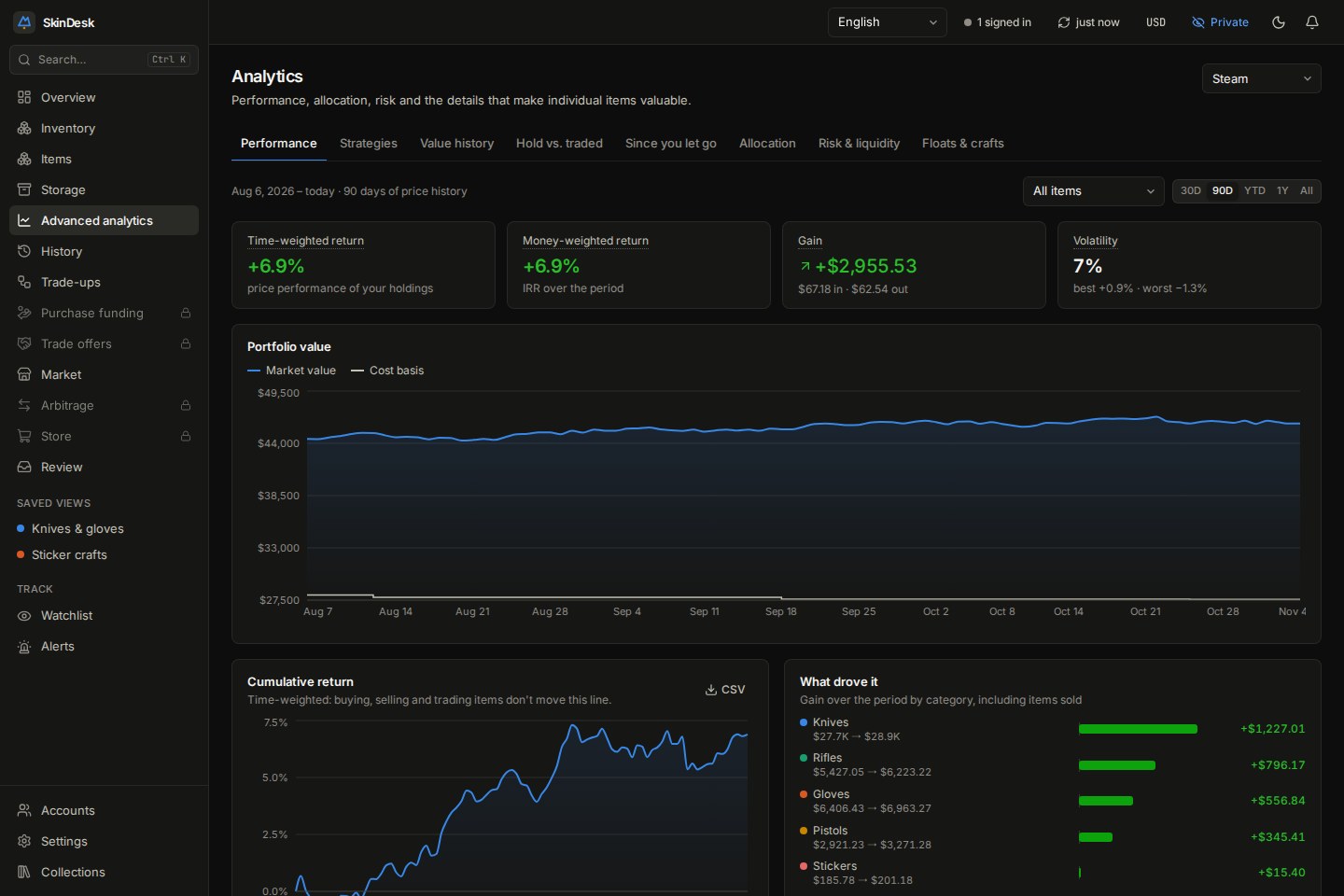
- Import your Steam history from Accounts.
- Open Analytics, select Performance and choose a period.
- Review returns and cost coverage, then compare decisions in Hold vs. traded.
Check how much you hold in each part of the market.
Break down your portfolio by item type, rarity, collection and storage location. Use it to check concentration before adding to a position.
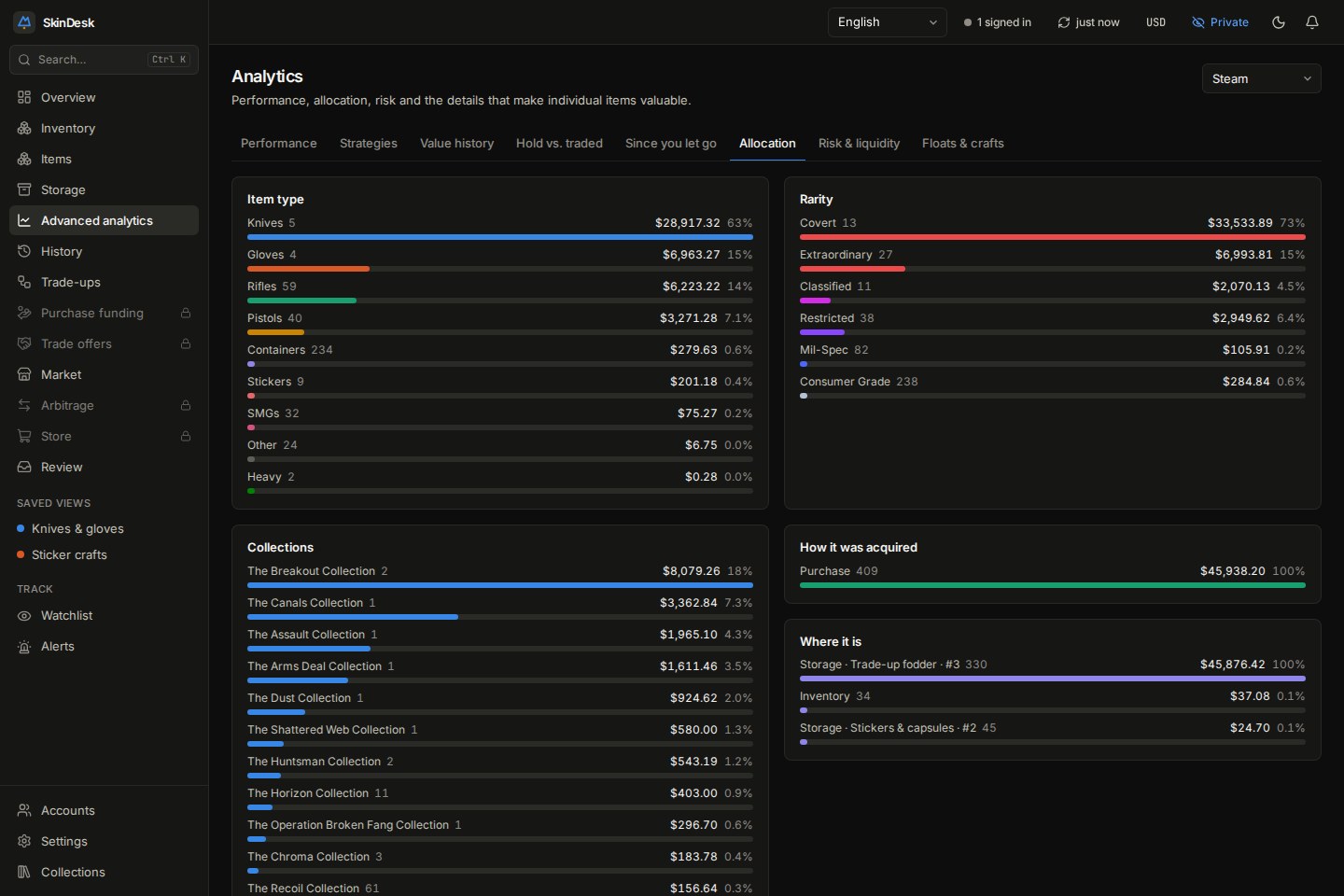
- Open Analytics and select Allocation.
- Compare the value held in cases, skins and other item types.
- Check the collection and location breakdowns for concentrated holdings.
Check your holdings against what you paid.
Search across accounts and storage units. Keep cases grouped by quantity and inspect skins by float, pattern and stickers.
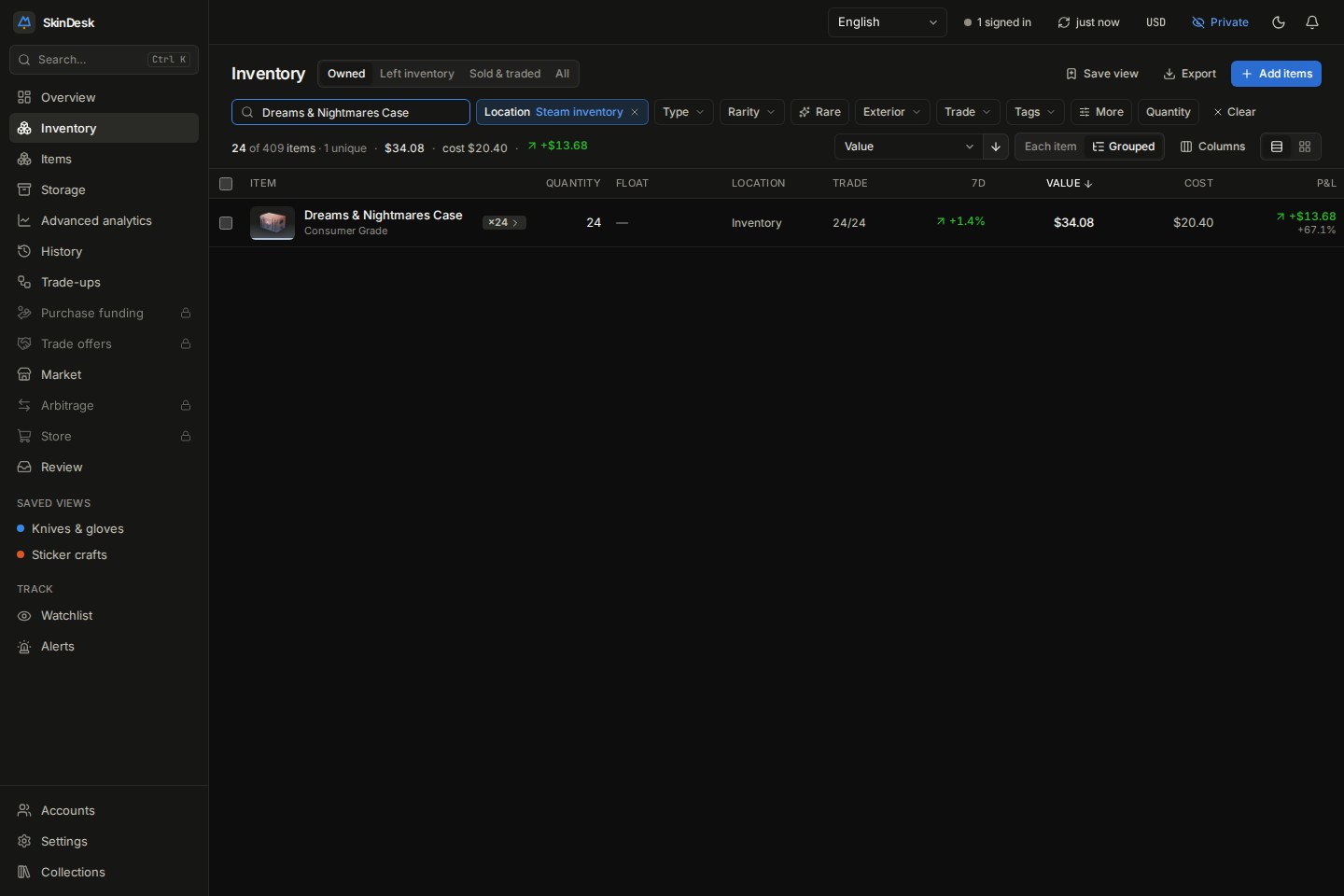
- Filter the inventory to the items you want to check.
- Record a purchase cost for one item or a group.
- Compare that cost with the current market value and unrealized P&L.
What’s included
- Steam Market, trade and inventory history imports
- Advanced P&L, returns, win rate and holding periods
- Hold-versus-trade comparisons and printable statements
- Watchlist and price alerts
- CSV import and export
Includes the Free features. Third-party marketplace connections belong to Trader. Combine the plans, or use Full, to bring those records into the same workflow.